Managing Team Members
Managing existing users is essential for ensuring that each team member continues to have the correct permissions as their roles and responsibilities evolve. Administrators can easily update user roles and permissions through the My Team section, maintaining the security and efficiency of the platform:
- Update the user's posiiton;
- Update the role;
- Chage the user's status;
- Delete the user;
- Sign out the user from all devices.
Signing out other users: Administrators can terminate another user's active sessions across all devices. To do this, navigate to My Team → Users, find the respective team member, and click the Sign out from all devices button next to their details:
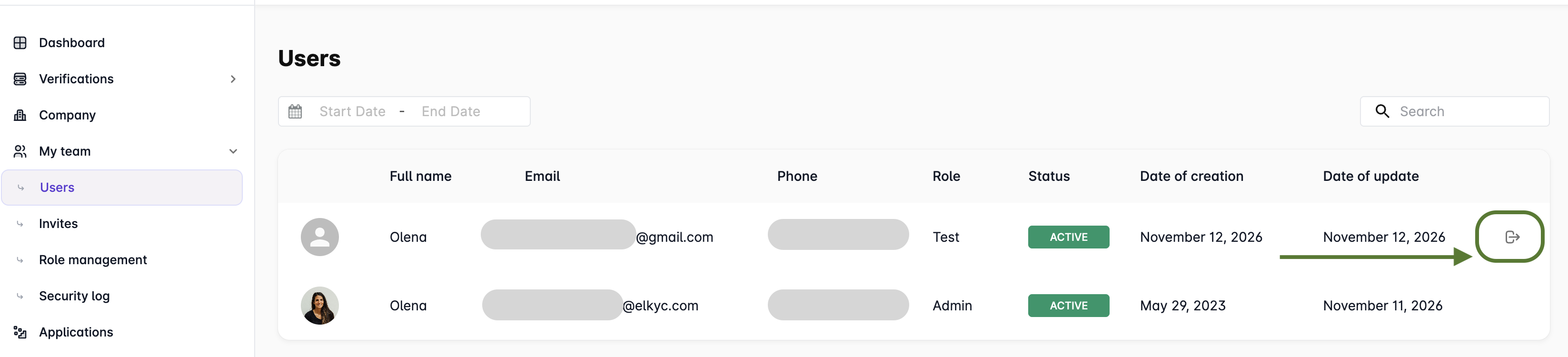
To access this action, the respective permissions must be granted to the user's role in Role Management → Team settings.
This option is useful if you suspect that another user's account has been compromised or unauthorized access has occurred.