Face Uniqueness
If the flow contains the Face Uniqueness step, the applicant profile shows its result in the Uniqueness block, among the verification steps.
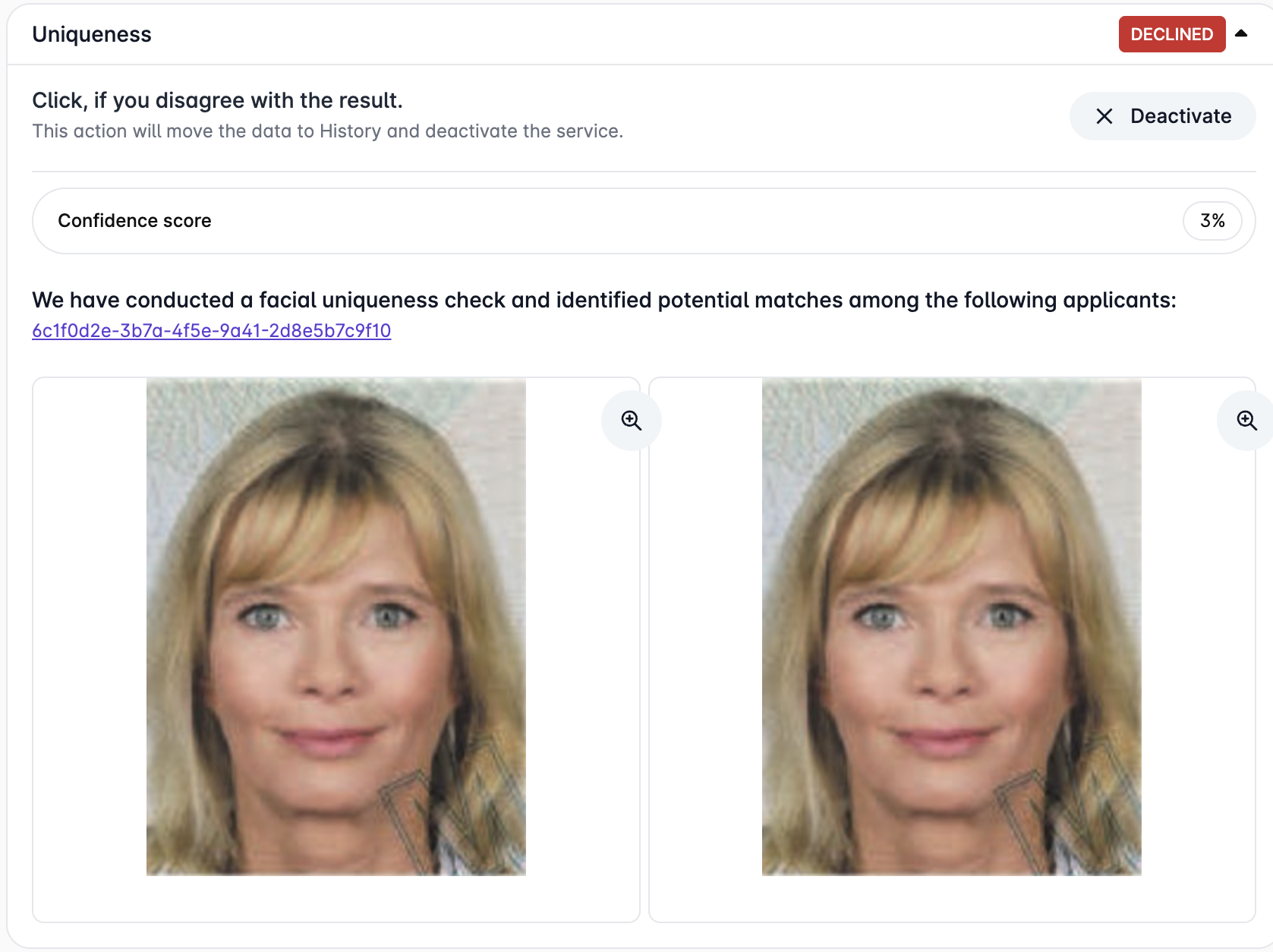
Confidence score
The Confidence score shows how unique the applicant's face is, from 0% to 100%:
- 100% means no similar face was found among your earlier applicants.
- A lower score means the applicant looks like one of them. The score is 100% minus the similarity with the closest matching face. For example, a face 97% similar to an earlier applicant's gives a score of 3%, as in the screenshot above.
A face 90% similar or more counts as a match, so a score of 10% or lower means the step failed. A failed step is marked DECLINED in the block header.
Matching applicants
When the step finds a match, the block lists the IDs of the matching applicants. Click an ID to open that applicant's profile in a new tab.
Below the list, the applicant's photo (left) is shown next to the photo of each matching applicant. Click the magnifier to zoom in.
Reviewing a match
A match is a reason to look closer, not proof of fraud. Before you decide:
- Compare the photos. The same face with different names, dates of birth or documents points to fraud.
- Open the matching profile and check its status, documents and personal details. The same person with the same details may simply have verified twice, for example after losing access to their account.
- Add your conclusion to the applicant's Comments.
If you disagree with the result, click Deactivate: the result moves to the history and is no longer used in the verification. See Deactivating and Activating Verification Results.
If the check could not run, the applicant is ON HOLD with the reason Face uniqueness check error. Review the applicant's other steps and approve or decline manually.
The result is also included in the applicant's PDF report, in the Face Uniqueness section.